


A CNC router and a laser cutter can produce similar wooden signs, yet the work behind each finished product can be very different. One removes material with a rotating tool. The other uses concentrated laser energy. For a small workshop, that difference affects production costs, available materials, and the types of customer orders worth accepting.
A CNC router is generally the better choice for furniture components, thick wood, and three-dimensional cuts. A laser cutter is often more suitable for intricate signs, thin sheet materials, and detailed decorative work. The right decision depends on your main products, not the number of features advertised by a machine manufacturer.
A workshop with limited space and capital should compare finished products before investing in either technology.
Key Takeaways
- CNC routers are better suited to deep cuts, pockets, grooves, and shaped wooden components.
- Laser cutters are especially effective for intricate flat designs and detailed engraving.
- Material thickness, machine setup, and finishing work affect actual production costs.
- Both machines require appropriate safety equipment and operator training.
- Buying a used machine can reduce initial expenses, but hidden repairs may change the total cost.
- The most suitable machine is the one that can produce your main products at a sustainable cost.
The Products You Sell Should Decide the Machine
Imagine two small workshops.
The first produces custom cabinet doors, wooden shelves, and furniture components. Most orders require thick boards, recessed areas, and accurately positioned holes.
The second makes acrylic business signs, decorative wooden ornaments, and detailed nameplates.
Both businesses use digital designs, but their production needs are different.
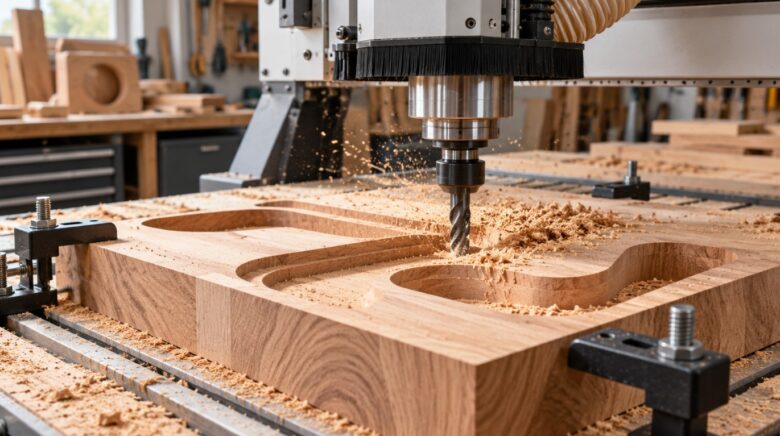
A CNC router can remove substantial amounts of material and create controlled depths. The machine can produce grooves, pockets, rounded edges, and shaped surfaces.
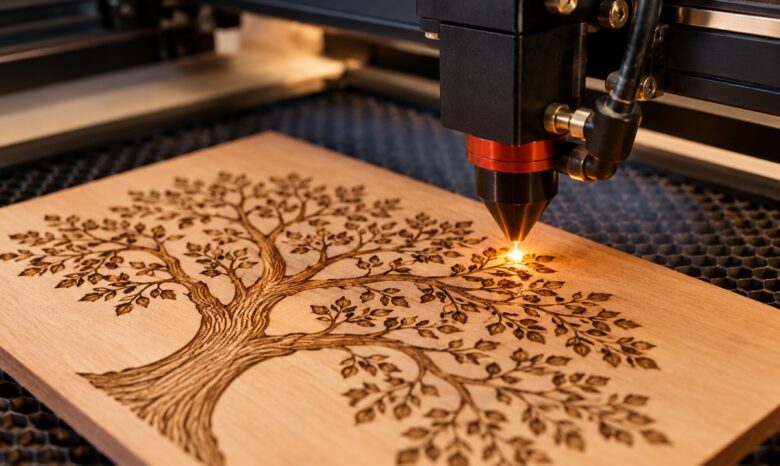
A typical small CO₂ laser cutter works best with suitable sheet materials. It can produce fine outlines and engraved details without physical contact between the cutting head and the workpiece.
The distinction becomes particularly important when customers request thicker materials.
For a small woodworking business, a router may offer more opportunities to accept furniture-related orders. For a business focused on decorative products, a laser can offer greater convenience.
Material Compatibility Matters More Than Power
Machine power alone cannot tell you which system will suit your workshop.
A CNC router can work with hardwood, plywood, MDF, and selected plastics. Depending on its rigidity, spindle, tooling, and operating conditions, certain machines can also process nonferrous metals.
Laser compatibility depends heavily on the laser source.
A CO₂ laser can cut or engrave many suitable nonmetallic materials. Fiber laser systems are generally more appropriate for numerous metal-marking and metal-cutting applications, although different machines have very different capabilities.
Material safety deserves attention.
Harvard’s laser cutter safety procedures identify approved materials and prohibit several others, including PVC and vinyl. The exact restrictions depend on the machine and facility.
Never assume that every plastic sheet is safe for laser processing. Unknown materials should be identified before use.
Precision Depends on the Entire Process
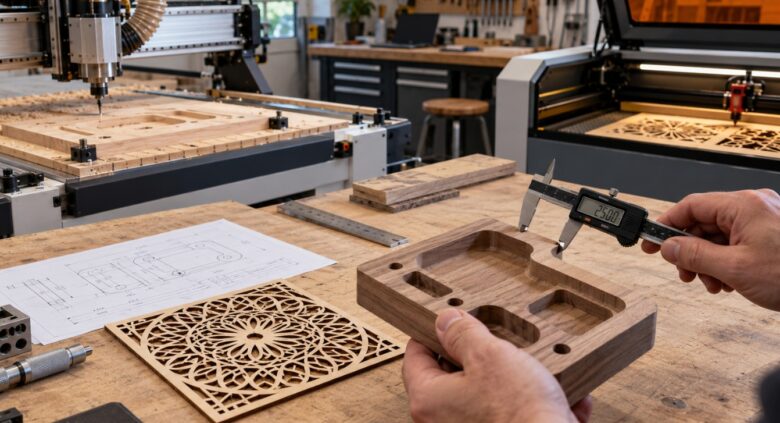
A machine can advertise excellent positional accuracy and still produce poor parts.
For CNC routers, cutting-tool condition, machine rigidity, workholding, and toolpath settings affect the final result.
Tool diameter introduces another limitation. A round cutter cannot produce a perfectly sharp internal corner through ordinary routing. The design may require additional clearance or a different machining strategy.
Laser cutters face separate challenges.
Beam focus, material thickness, thermal effects, and kerf width influence the dimensions of finished parts.
For flat decorative designs, laser cutting can produce very fine details. For deeper mechanical features, routing may be more appropriate.
Demotix has previously examined precision CNC machining and the role of dimensional tolerances. Its emphasis on matching production requirements to finished-part specifications is also relevant to a small workshop.
The practical question is not which machine has the smallest advertised tolerance. It is which machine can maintain the dimensions your customers actually require.
Compare the Cost of a Finished Product
Purchase price is only one part of an equipment decision.
A CNC router requires suitable cutting tools, workholding equipment, dust collection, and periodic maintenance.
A laser cutter may require extraction equipment, cooling, replacement optics, and other model-specific components.
Labor costs can also differ.
A routed wooden product might require sanding after machining. A laser-cut wooden product may require cleaning to address smoke residue or darkened edges.
Consider a hypothetical order for 60 decorative plywood panels.
Under these assumptions, the laser saves $2.50 per panel, or $150 across the order.
The calculation represents an illustrative scenario rather than measured machine performance. It excludes fixed overhead, financing, taxes, and other shared costs.
A thicker board or a three-dimensional design could make the router considerably more suitable.
For a reliable comparison, measure preparation time, machine time, and finishing work on the same commercially acceptable product.
Workshop Space Includes Safety Equipment
A compact machine may still need considerable supporting equipment.
CNC routers can generate substantial quantities of wood dust. According to OSHA’s woodworking guidance, effective local exhaust ventilation is an important part of dust control.
Noise, rotating tools, and flying chips create additional hazards.
Laser cutters introduce fire risks and potential exposure to hazardous fumes. Appropriate extraction, enclosed operation where required, and compliant safety systems are essential.
MIT’s CNC router safety guidance also emphasizes operator training, machine guarding, hearing protection, and dust collection.
Before purchasing equipment, check the available floor space, electrical supply, ventilation arrangements, and access for loading materials.
A machine that fits through the workshop door may still be unsuitable for safe daily operation.
Operating Skills Affect Production Capacity
CNC routing requires knowledge of cutting speeds, feeds, tools, workholding, and appropriate toolpaths.
Projects with complex geometry can require considerable preparation in computer-aided manufacturing software.
Laser cutting usually involves digital artwork preparation, material-specific settings, and correct focus adjustment. Advanced work can also demand careful process development.
Demotix’s article on CNC machining skills explains how programming requirements differ across machine configurations.
For a workshop with one operator, training time has a financial cost.
If a new machine requires several weeks of practice before it can reliably produce commercial orders, that period belongs in the investment plan.
When a Laser Cutter Is the Better Investment

A laser cutter deserves serious consideration when a workshop primarily produces signs, engraved panels, decorative accessories, and detailed components made from compatible sheet materials.
Businesses comparing laser cutters should examine the laser type, usable work area, supported materials, extraction requirements, and realistic production capacity.
A large advertised cutting area offers limited value if most orders involve small products.
Likewise, a fast machine may not improve profitability if material preparation and finishing consume most of the production time.
Before choosing a model, request a demonstration with the exact material and thickness used in your business.
Could a Used Machine Be a Better Deal?
A used CNC router or laser cutter may cost considerably less than a new model, but the advertised price rarely tells the whole story.
Inspect the motion system, control electronics, spindle or laser source, and the availability of replacement components.
Ask for a demonstration under normal production conditions.
For a router, listen for unusual spindle noise and inspect the quality of test cuts.
For a laser, examine cutting consistency across the work area and verify the condition of the optical system and applicable cooling equipment.
If repairs cost more than the initial saving, a cheaper machine can become the more expensive choice.
Transport, installation, operator training, and replacement parts should also be included in the budget.
Small Workshops Can Earn More Without Buying Both
A business that handles both woodworking and decorative projects may eventually benefit from two machines.
However, buying both at the beginning can tie up capital that may be needed for materials, marketing, or customer acquisition.
One alternative is to purchase the machine that handles the majority of confirmed orders and outsource less frequent tasks.
A router-based workshop might outsource intricate acrylic inserts. A laser-based shop could outsource thick wooden bases or carved components.
Small pieces of leftover wood may also become products in their own right. Demotix offers several examples of income from scrap wood, including woodworking projects and decorative products.
Before investing in additional equipment, calculate how much the workshop spends on outsourced jobs during a typical month.
Recurring orders provide a stronger investment case than occasional requests.
Which Machine Should You Buy First?
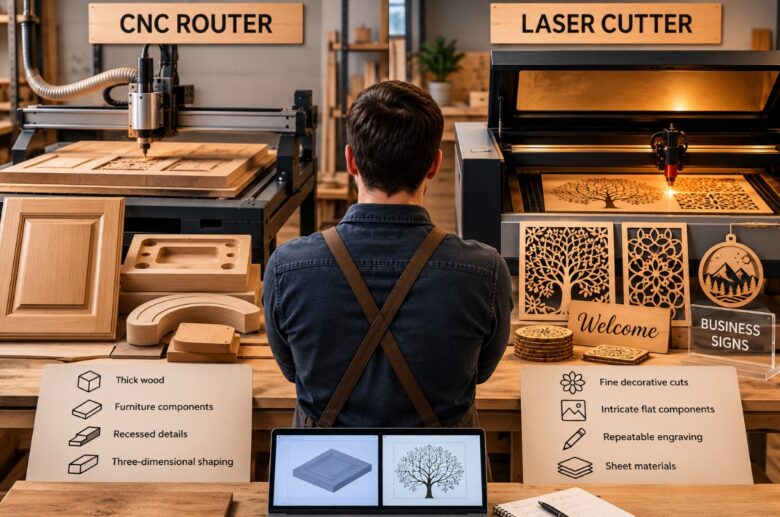
Choose a CNC router if most of your work involves thick wooden boards, cabinetry, recessed details, and three-dimensional shaping.
Choose a laser cutter if your main orders require fine decorative cuts, intricate flat components, and repeatable engraving on approved materials.
For uncertain workloads, prepare three representative designs and request production samples using both technologies.
Compare the cost per finished product, quality, setup time, maintenance demands, and available workshop space.
The best machine for a small workshop is not necessarily the fastest or most powerful. It is the one that can consistently complete profitable customer orders without creating unnecessary operating costs.
 Kim Marks
  Nina Smith